Android
Computer controller
Pair by QR with the agent, or add a device by hand if you would rather configure it yourself. Status and available actions in a screen designed for daily use.
Android + local agent
Getting Wake-on-LAN to actually work in the operating system is where almost everyone gets stuck, between driver properties on Windows and settings that do not survive a reboot on Linux. The agent takes care of that and, while it is there, lets you shut the computer down, restart it and boot it into Linux or Windows. Prefer not to install it? Add the computer by hand and wake it, with the setup left to you.
See it in action
Install the agent, scan the QR and wake, shut down or restart your PC from your phone. Under a minute.
Android
Pair by QR with the agent, or add a device by hand if you would rather configure it yourself. Status and available actions in a screen designed for daily use.
Windows/Linux
Local service and tray app to check Wake-on-LAN, detect available actions and run them in a controlled way.
Tray app
QR visible from the system tray, local diagnostics and direct controls without asking users to open local addresses.
Android experience
WOL DualBoot avoids long technical screens in the daily flow. The app adapts to powered-on, powered-off and dual-boot states.
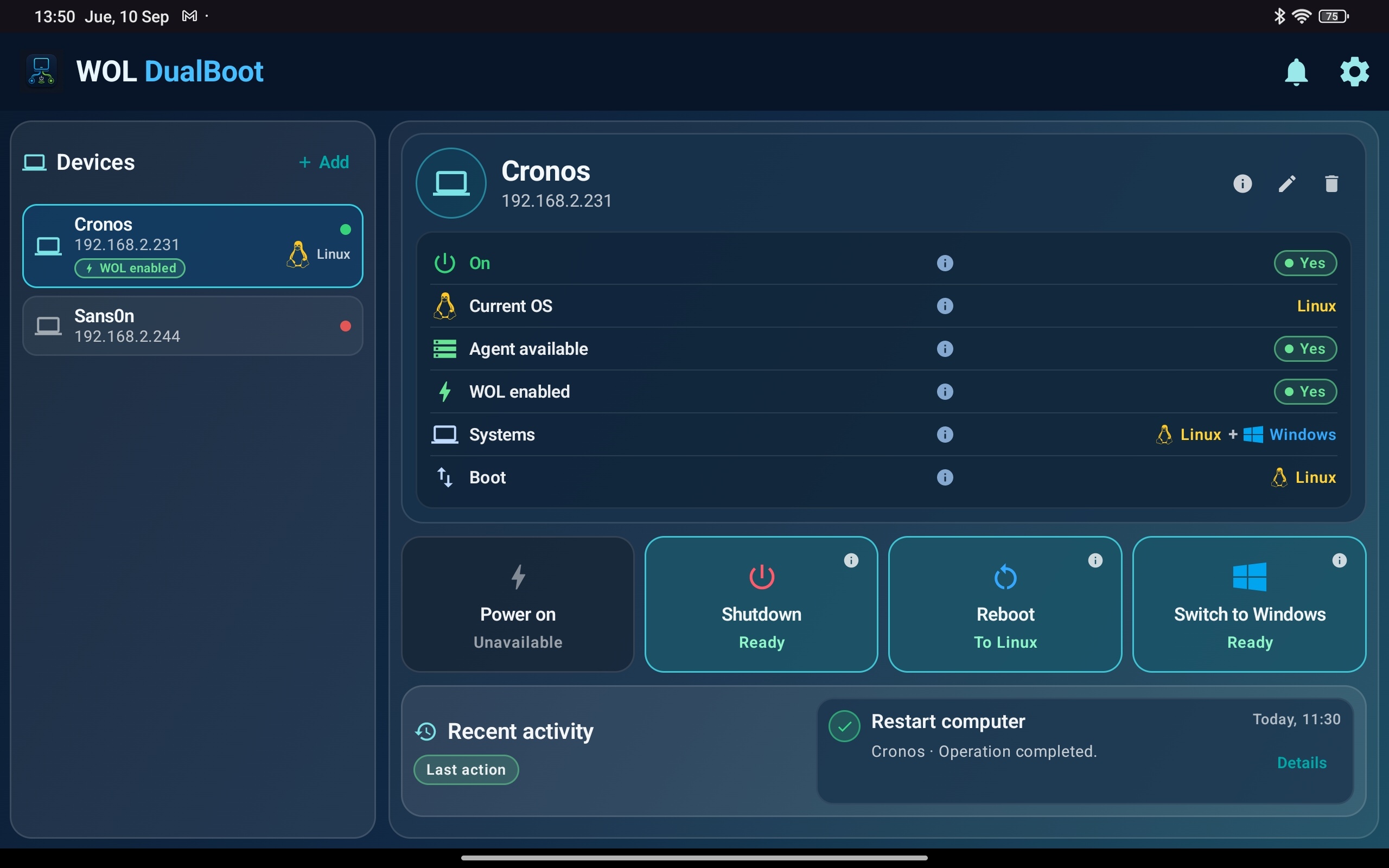
Agent, operating system and WOL status are visible before you run an action.
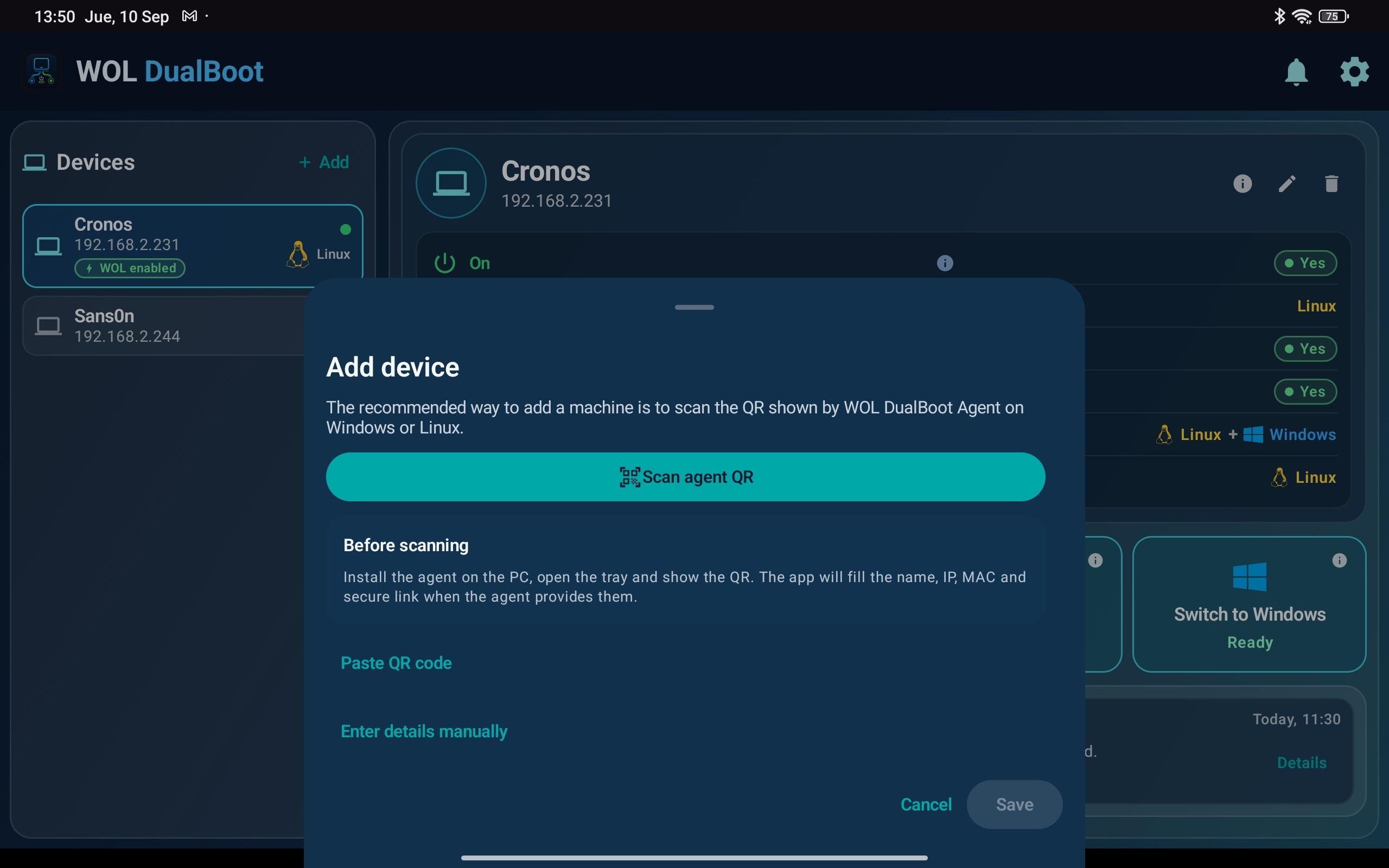
The app keeps pairing focused on QR scanning and clear device data.
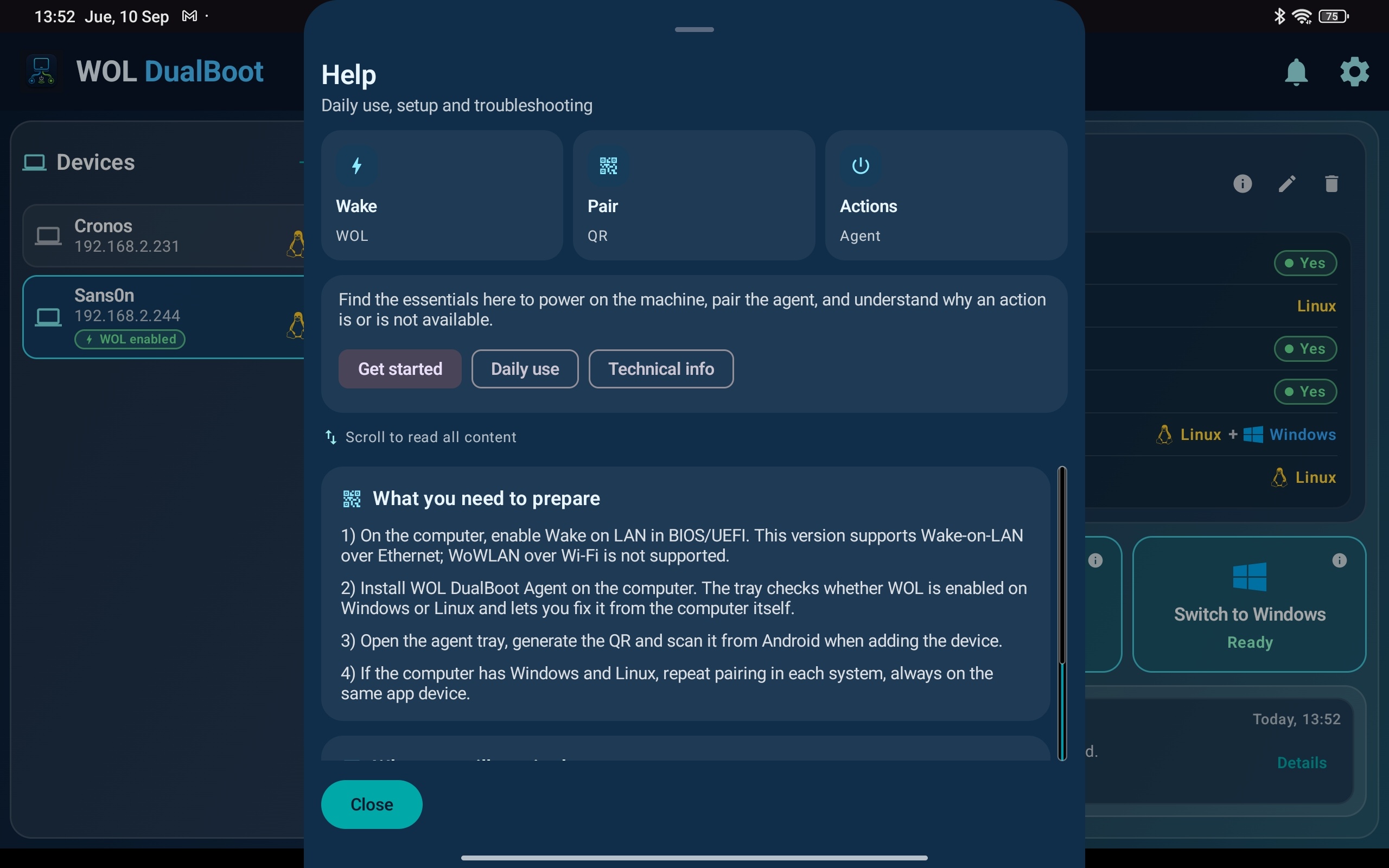
Help and support content stay inside the same product experience.
Capabilities
The proposal is concrete: prepare your own computer and use Android as the daily controller on your network.
WOL DualBoot is not a remote desktop or a general administration console. It focuses on waking the computer and running a small set of clear actions.
Windows: MSI installer that prepares the service and tray app.
Linux: Debian package that installs the service, tray app and Wake-on-LAN tooling.
Android: daily controller for waking the computer and running the actions the agent makes available.
Next step
The agent is the piece that prepares the computer. From its tray icon you can review status, generate the QR and make the host ready for the Android app.