0
One-time setup
Enable WOL in BIOS/UEFI
This is the only step WOL DualBoot cannot do for you. This version supports Wake-on-LAN over Ethernet.
BIOS/UEFI guideWOL DualBoot for Android, Windows and Linux.
Install the agent on your PC and scan a QR code. It sets Wake-on-LAN up in the operating system, which is where everyone gets stuck, and from there you wake, shut down, restart and pick which system boots. Without the agent you can still add a computer by hand, but Wake-on-LAN is yours to configure and waking is all you get.
One-time setup
This is the only step WOL DualBoot cannot do for you. This version supports Wake-on-LAN over Ethernet.
BIOS/UEFI guideLocal agent
A small program for Windows or Linux, with its icon in the system tray.
One button
It enables it in the operating system for you, with no hunting through driver properties on Windows or settings that do not survive a reboot on Linux. There it also re-enables it on every start.
Android app
Wake the computer, shut it down, restart it and, on dual-boot setups, boot it straight into Linux or Windows.
Android app
The app keeps the daily experience focused: see the selected computer, check agent/WOL status and run only the actions that are valid now.
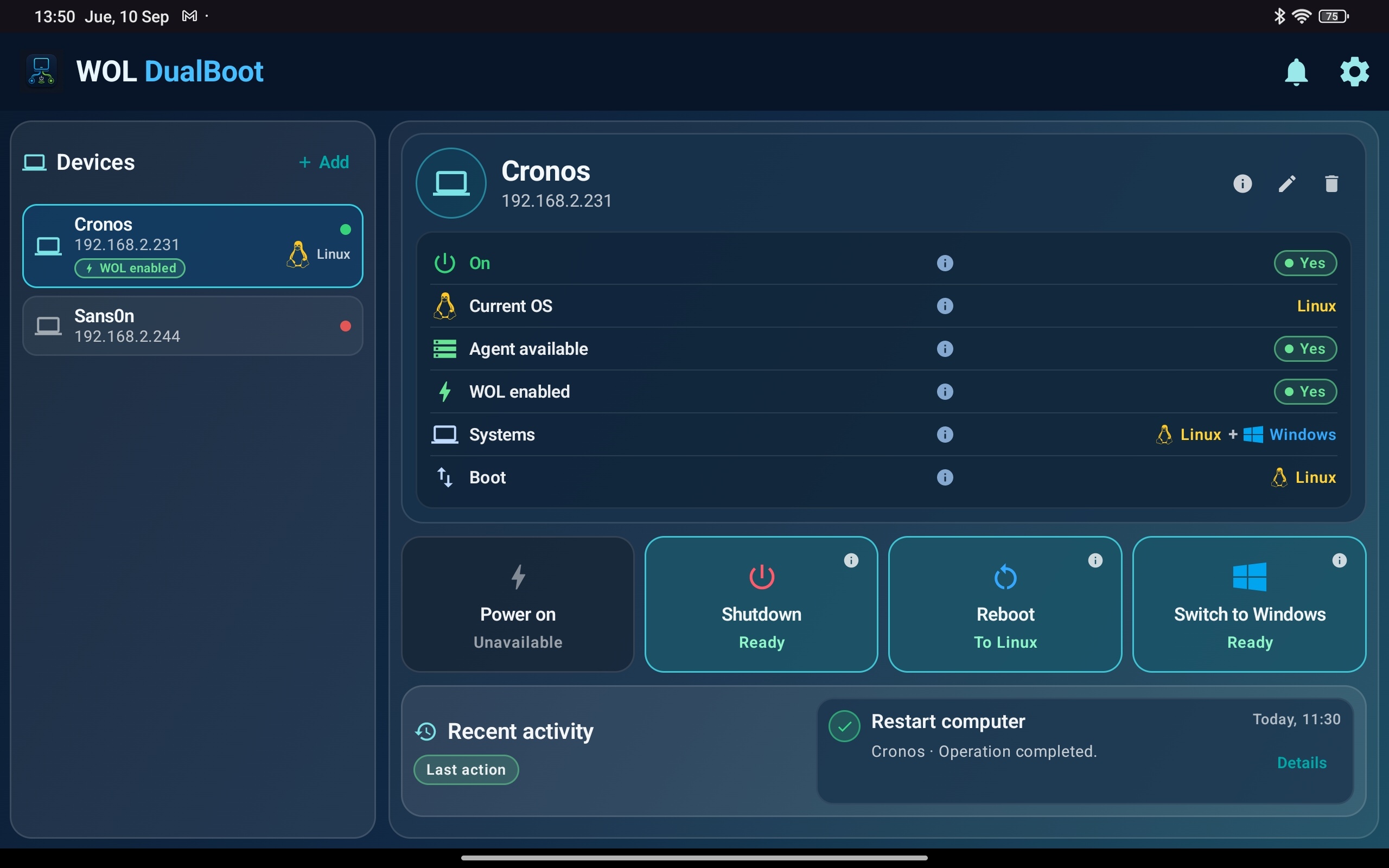
The dashboard brings devices, status and quick actions into one clear view.
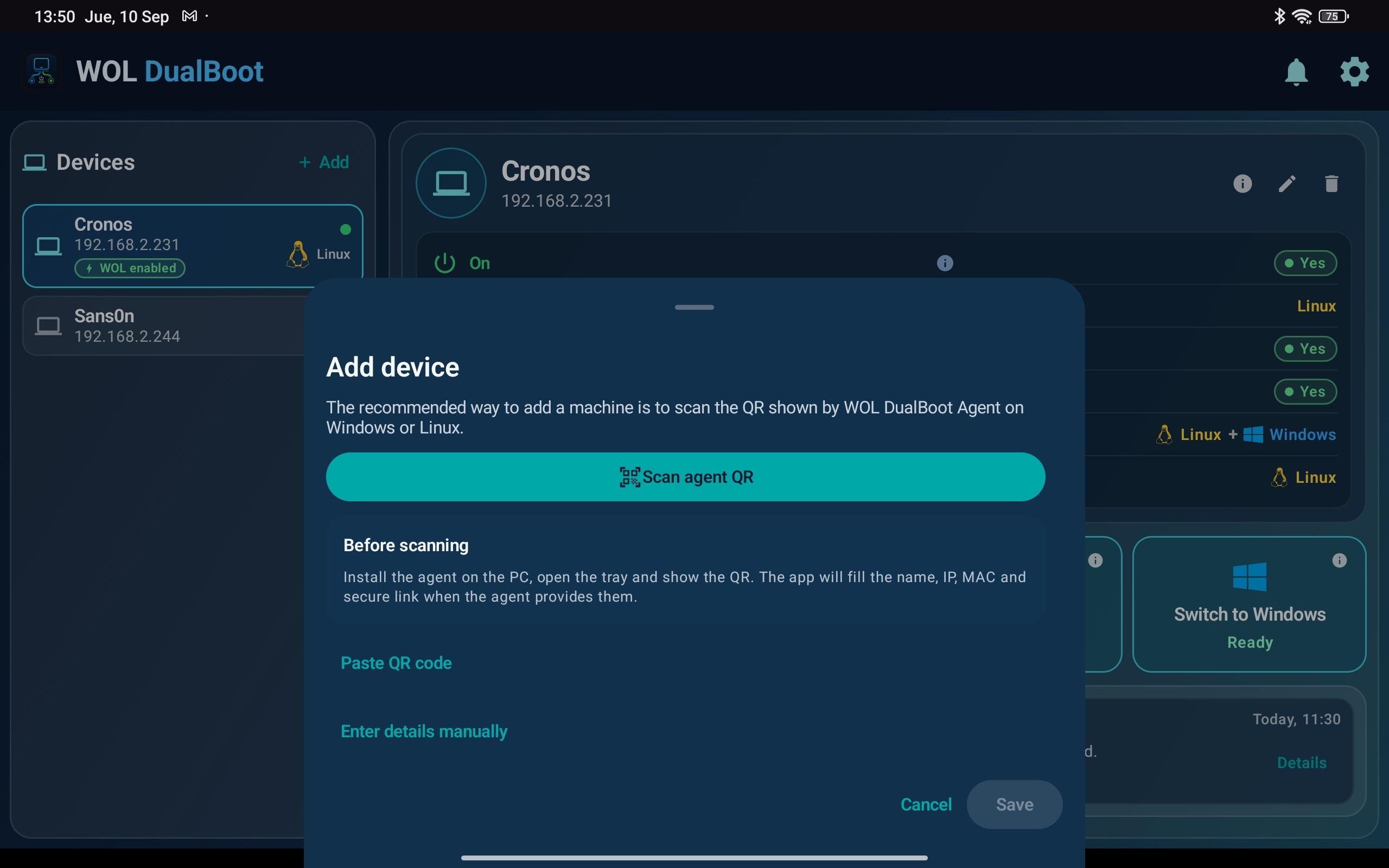
Pairing starts by scanning the QR shown by the local agent, without copying technical values.
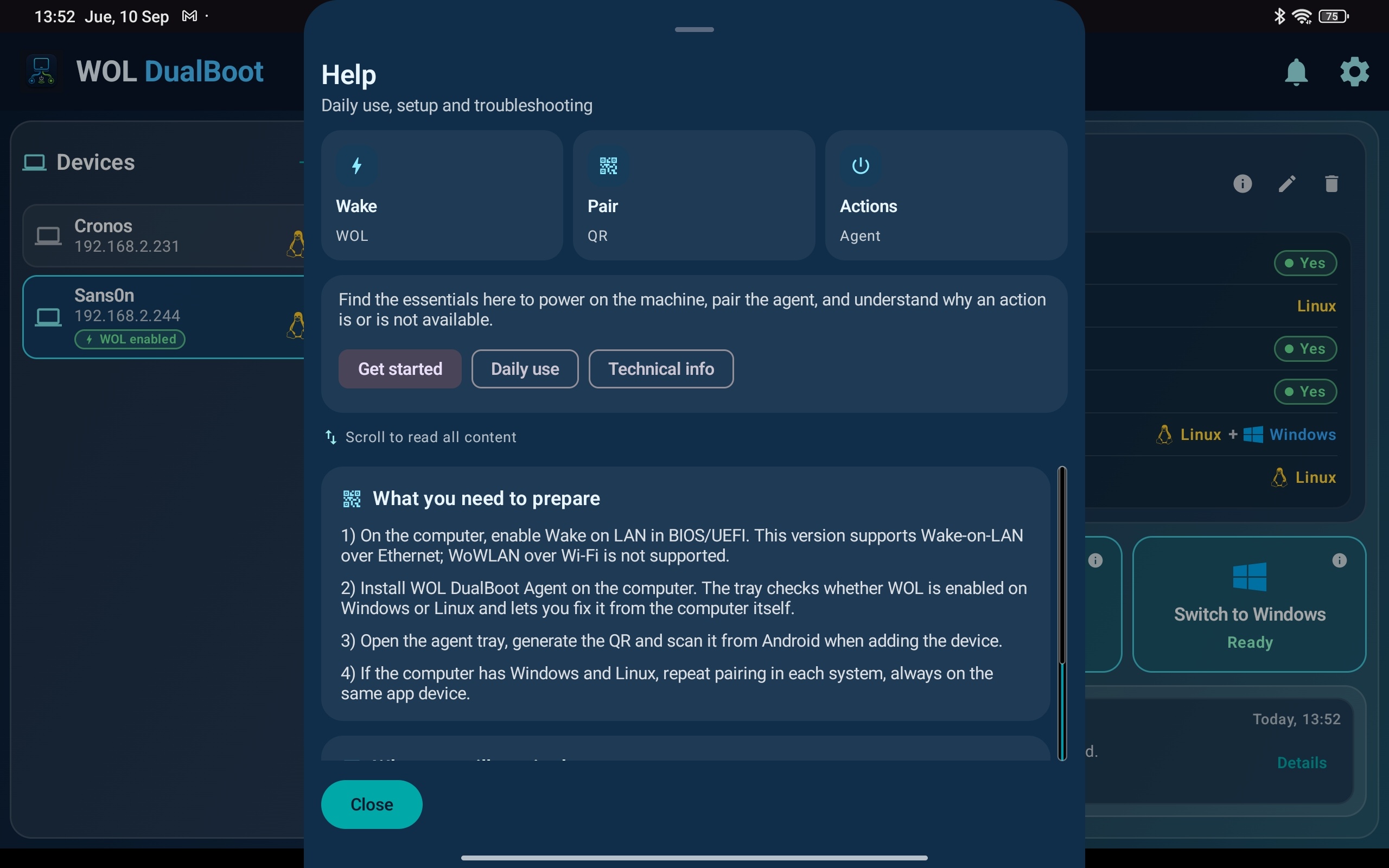
Help screens explain the daily flow without exposing unnecessary implementation details.
Local network
WOL DualBoot focuses on your own computers: preparing Wake-on-LAN, waking the PC and choosing the operating system from Android when the boot setup allows it.
Transparency
The agent only runs a closed list of actions: wake, shut down, restart and boot into Linux or Windows. We document its security model and publish the SHA-256 of every installer.